How to Use the Kindle for Beginners
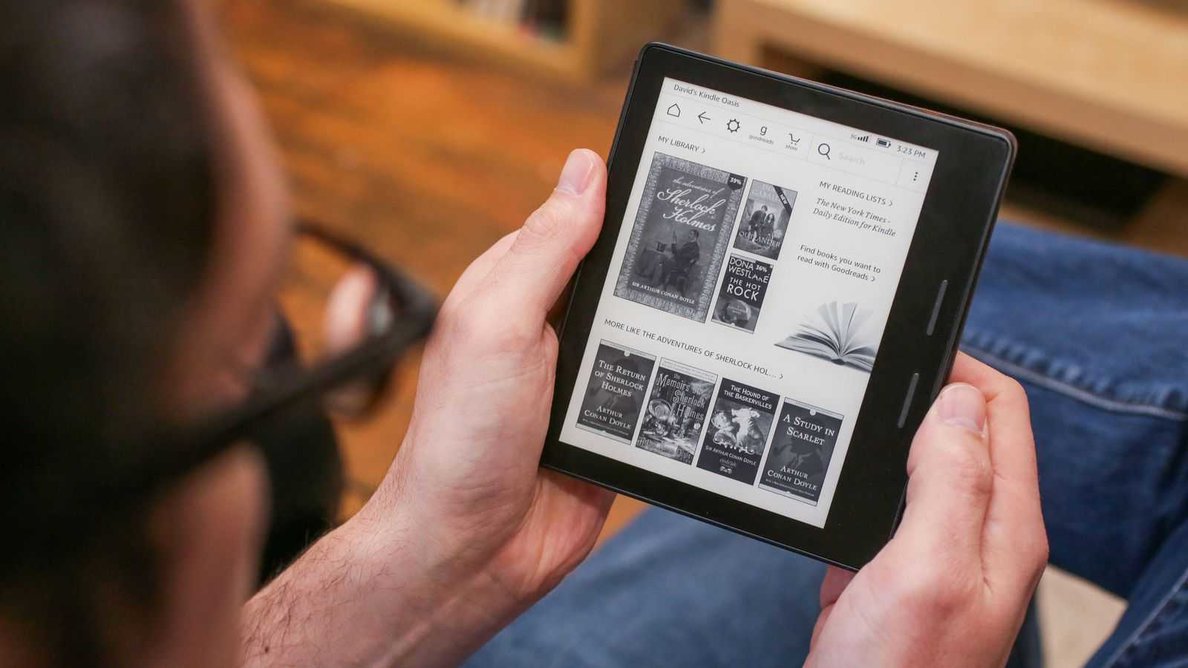
The Amazon Kindle is the world's #1 e-reader and by far the best available in the market. Despite that, using it can be pretty tricky — it's easy to get lost, and even easier to accidentally change an important setting that's hard to fix. Learning it on your own can be frustrating and get you nowhere fast. That's why we created How to Use the Kindle for Beginners — a video guide that teaches all the basics and is perfect for seniors, first-time Kindle users, and self-proclaimed "dummies."
The Kindle is a revolutionary e-reader capable of a lot: buying and downloading books, reading with interactive features, connecting with fellow readers using Goodreads and social media, listening to audiobooks, using the dictionary while you read, finding any book in the world, and much more. Our guide teaches you everything you need to know to become an expert at using your Kindle in just 30 minutes.
What is "How to Use the Kindle for Beginners"?
How to Use the Kindle for Beginners is an interactive video guide created by our FVG Development team — Kindle users of all ages and backgrounds who built a guide everyone can follow. It demonstrates step-by-step how to explore every feature, covering specifically the must-know abilities you'll use every single day. Most sources tell you how great the Kindle is without showing you how to use it — our guide does exactly that, with complete ease.
Start learning now
Follow along while watching the guide and you'll have a full understanding of your Kindle in 30 minutes — reading books, downloading books, using the interactive reader features, sharing books, connecting to social media, and exploring every feature. We guarantee it 100%. Don't waste time struggling on your own — this guide will help you.
Here's some of what the guide will teach you
- Setting up your Kindle with optimal settings
- Understanding which Kindle model you have and why it matters
- Using your fingers to navigate your Kindle
- Using and understanding your Kindle's home screen
- Using the Kindle toolbar
- Managing, populating, and using "My Library"
- Creating and sharing reading lists
- Using and exploring the Kindle Store
- Finding, borrowing, buying, and downloading books
- Reading a book in your personal Kindle library
- Interactive reading features — page-turning, dictionary, notes, highlighting
- Customizing your reading experience — text size, picture size, spacing, lighting
- Using bookmarks
- Connecting to Wi-Fi and Bluetooth devices
- Setting parental controls and other settings
- Tips and tricks — importing books, preserving battery life, Word Wise, X-Ray, audiobooks, and more
Ready to become a pro at using your Kindle in 30 minutes?
Watch How to Use the Kindle for Beginners, shot in high-quality 1080p and explained in simple terms. Get a full year of access for one flat payment — less than the price of a premium app, and 1/10 the price of a technology class. Our guide covers all Kindle models including the Kindle Oasis, Kindle Paperwhite, and Kindle Voyage.
How to Use the Kindle for Beginners — Just $8.99
One-time payment. Includes 1 year of access.